Chess Classes Made Simple with ChessPlay.io!
Hey, let's be real. Running chess classes, whether you're a solo coach or managing a whole academy, means juggling a lot, right? Keeping track of schedules, knowing who's in which class, figuring out who's teaching... it can turn into a real headache with messy spreadsheets and endless chat messages.
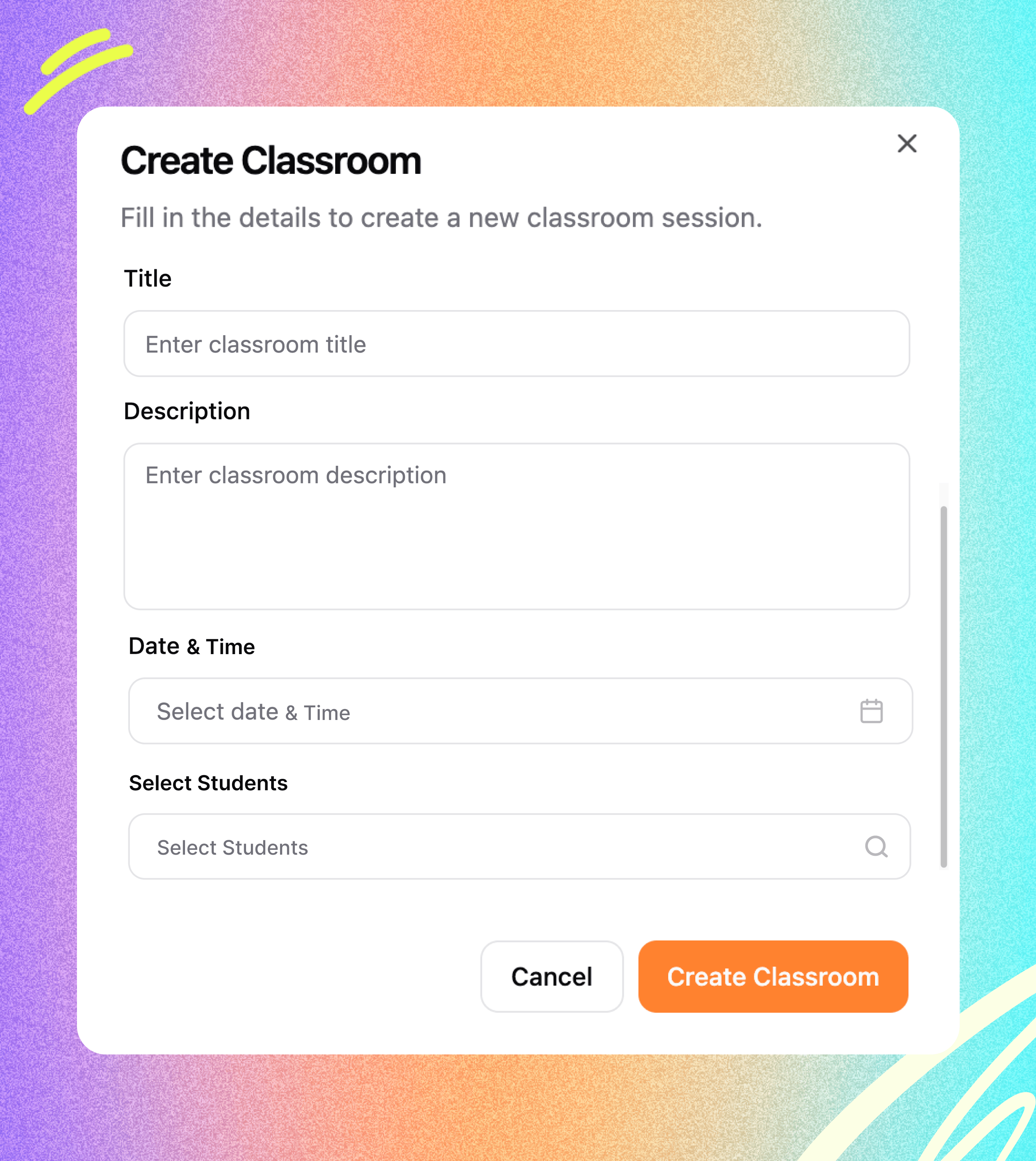
Seriously, getting a new class ready takes just a couple of minutes.
Just Click & Go: Click "Create new class."
Name & Describe: Give it a clear name ("Intermediate Tactics," "First Steps in Chess") and jot down what it's about ("Learning Chess Movements").
Add Your People Easily: Need to add students? Just start typing a name – pop! – they show up. Click, and they're in. Same simple search for adding the right coach. Easy peasy.
Pick Your Time: Scheduling is no sweat with simple calendar pickers for the start and end times. The system even tells you the class duration automatically.
Get Started Now
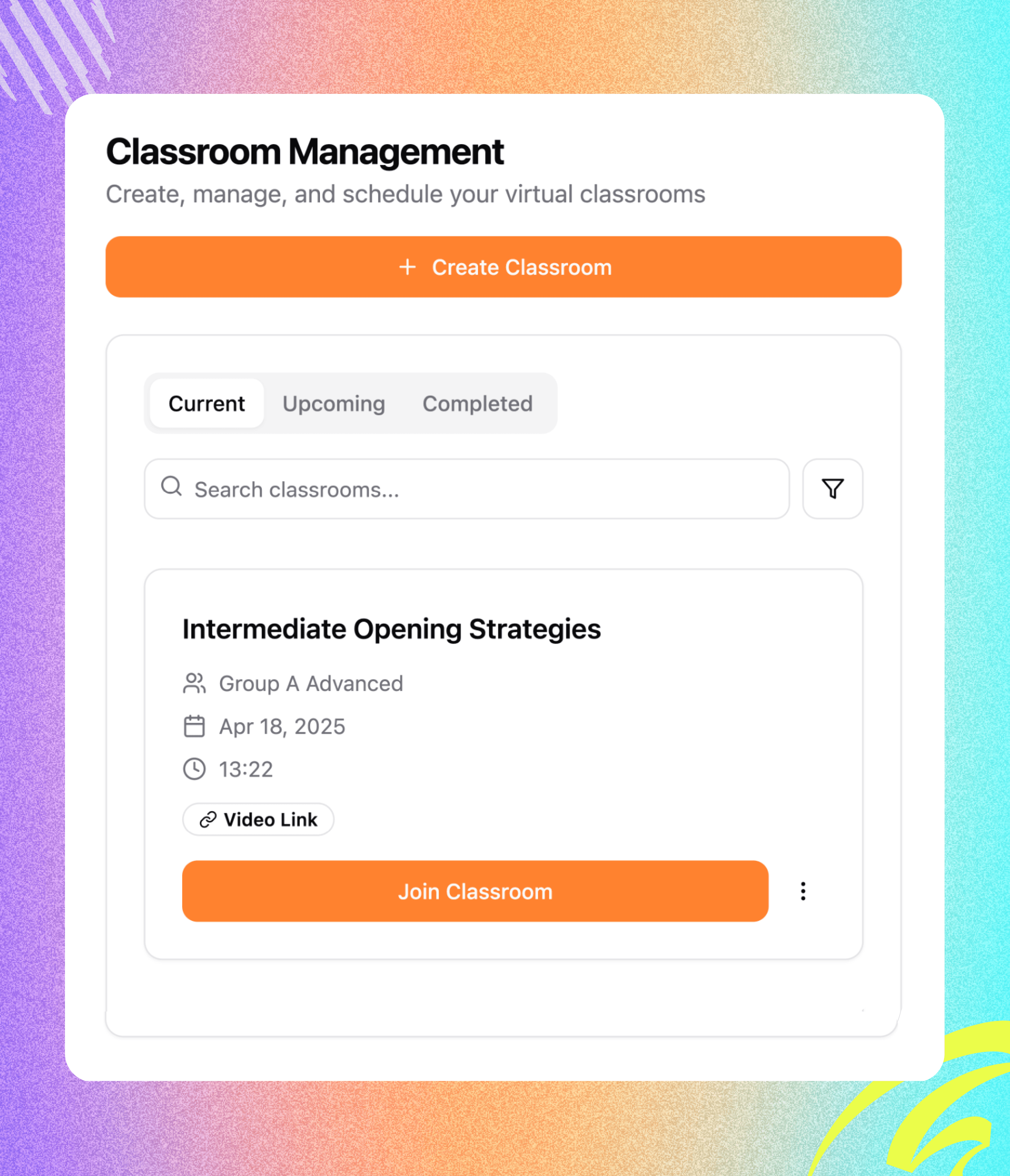
Know What's On: See classes happening right now under "Running."
Plan Ahead: Check out future classes under "Upcoming."
Look Back: Find past sessions easily under "Completed."
Quick Info Cards: Each class shows you the name, coach, number of students, date, time, and length, all at a glance. No more guesswork!
Get Started Now
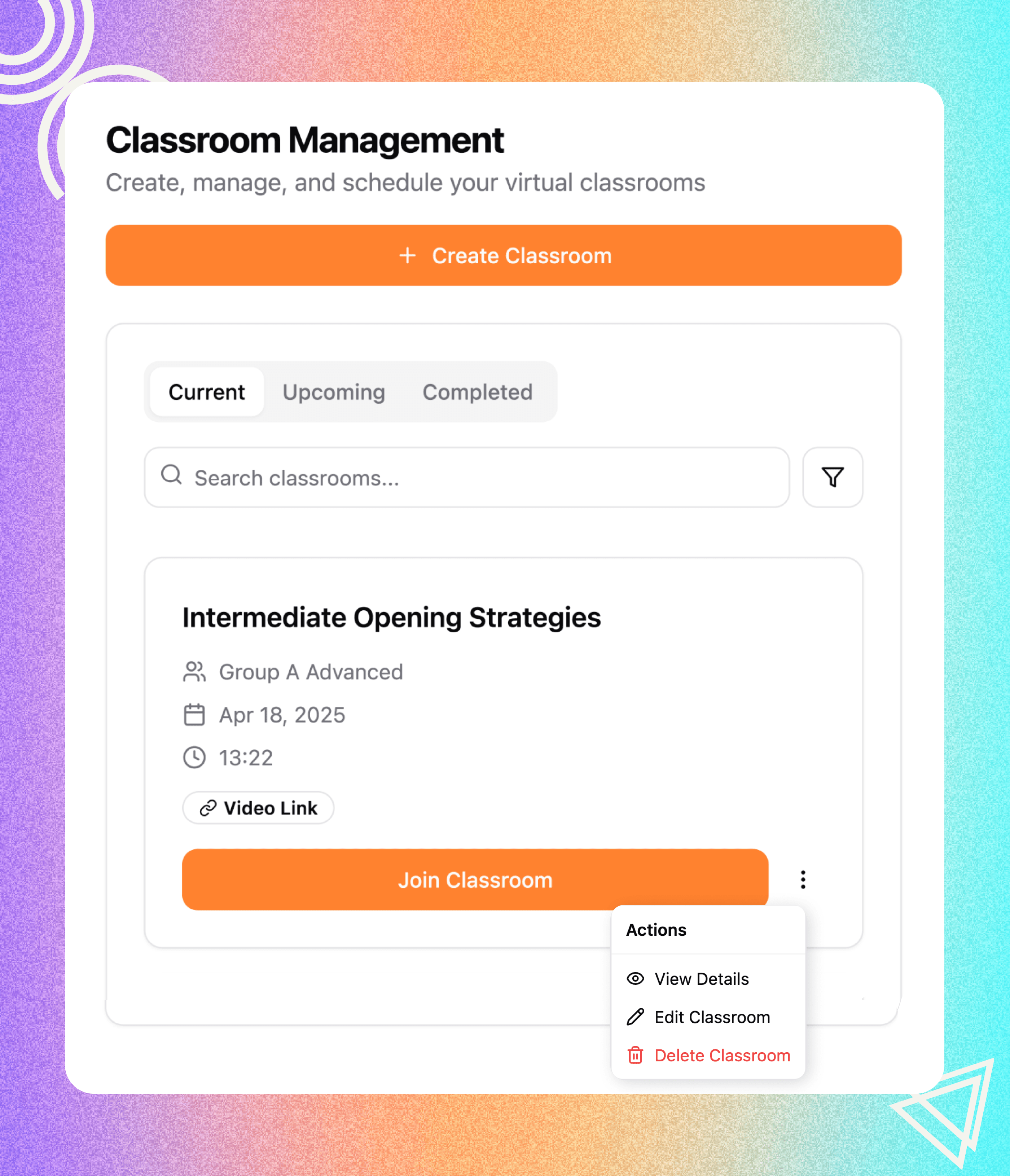
Simple Edits: Made a mistake or need to reschedule an upcoming class? Just click the little edit icon.
Quick Updates: Change the date, time, students, or coach in the pop-up window and save. Done! Your class card updates right away. Super flexible.
Get Started Now